⌕
Spot potential exposures
Check for common API key patterns, credentials, private-key blocks, and selected personal data.
PRIVATE BY DESIGN · BUILT FOR SAFER AI USE
Digital security matters whenever people use AI tools with business or personal information. Check prompts for exposed credentials and selected personal data before sharing them with ChatGPT, Claude, Gemini, or other AI tools. Review potential risks and create a redacted copy — right in your browser.
A SIMPLE SAFETY CHECK
AI tools can be useful at work, but prompts may accidentally include information that should stay private. Add a quick review to your workflow.
Check for common API key patterns, credentials, private-key blocks, and selected personal data.
Inspect masked finding previews, then create a redacted version to review before sharing.
The scanner runs in your browser. Your prompt text is not sent to a PromptShield scanning server.
THREE STEPS. ONE BETTER HABIT.
PromptShield helps you add a lightweight review between writing a prompt and sending it to an AI assistant.
Use the scanner to review text you are preparing to share.
Choose the types of information you want the scanner to look for.
Inspect potential findings and create a masked copy when needed.
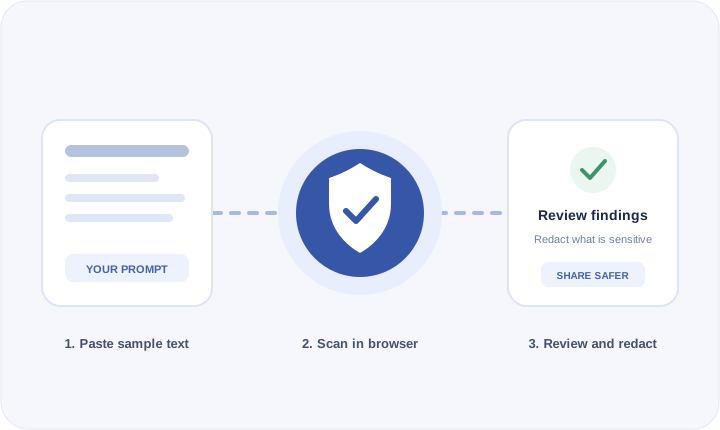
YOUR LOCAL PROMPT CHECK
Paste sample text below and choose what to detect. For your safety, use synthetic examples — never enter real passwords, API keys, or live secrets into a test.
PromptShield is a best-effort review aid, not a guarantee that text is safe to share.
LEARN THE BASICS
Explore practical resources for individuals and small teams using AI tools.
Understand common prompt exposures and how to review a scan result.
Read the guide →Set practical guidelines for sharing information with AI tools at work.
Explore team guidance →Learn to minimize personal information and remove credentials before sharing.
Read the guide →MAKE THE QUICK CHECK A HABIT
Scan sample text locally, review potential findings, and decide what belongs in your prompt.
Try PromptShield